Before activating a Chart Search you can specify what folder to search chart files within, or a specific chart file to search.
By default the very first time Chart Search is used the search will be done in all chart files in the Documents/Astro Gold folder.
Thereafter the search will always be done there, until a different folder or chart file is selected, in which case the search will be done in all chart files in the last selected folder, or just in the last selected chart file.
➢ To change where the search will be done click on the Files button, which will drop down a menu...
|
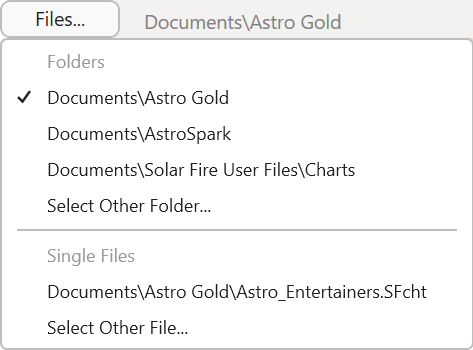
The menu is divided into two sections: Folders and Files.
a)In the top Folders section will be a list of all previous locations you searched in, with the currently selected location ticked.
b)Simply clicking on any of the other previous locations will select it for this search.
c)Alternatively click on Select Other Folder to view a list of folders - from which you can navigate to the folder you want to search ...
|
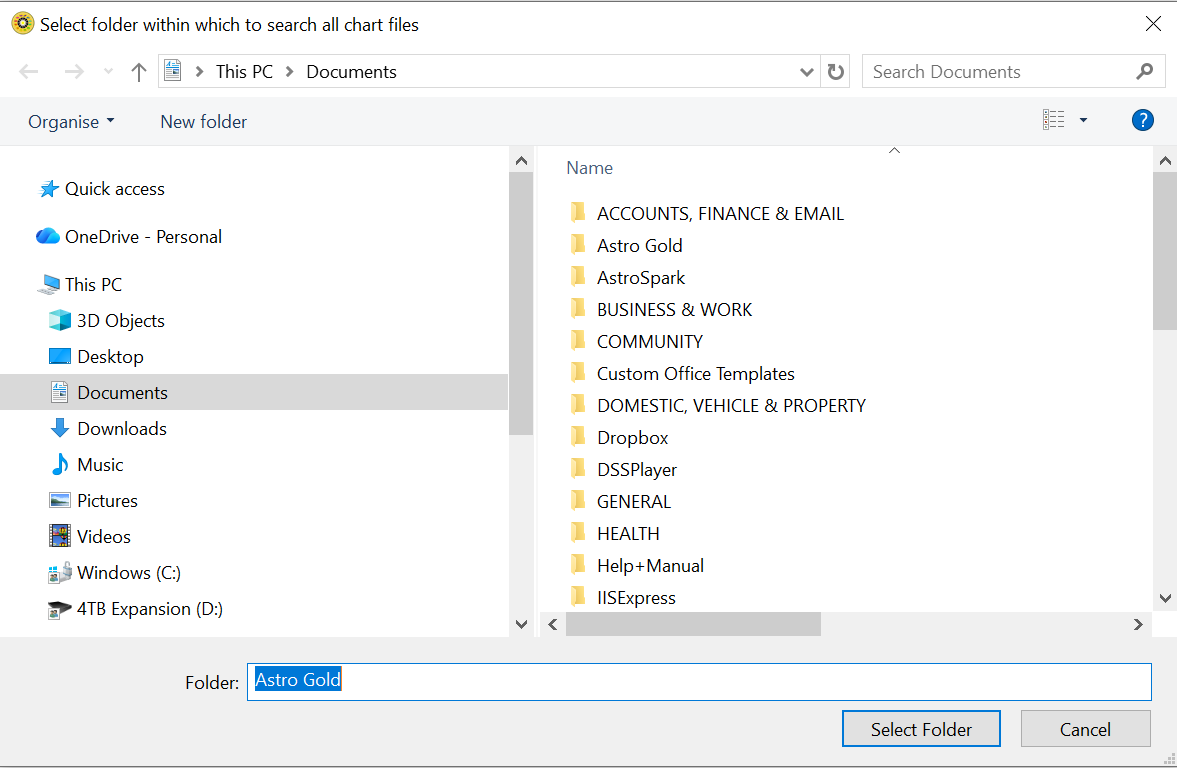
-OR-
d)Click on Select Other File to view a list of files so as to select one to search.
➢Initially the files in the "Documents/Astro Gold" folder will be displayed.
➢In the folder all the files will be displayed regardless of their type. However you want to only select a file ending in the extension .SFcht - these are the AstroGold chart files. Selecting any other type will be a waste of time as they will not have any charts in them.
➢You can change the folder displayed by clicking on the drop-down list at the top in the center of the dialog, and selecting a different folder. Keep doing that until you've found the folder that has the chart files in it you are interested in. If you cannot find the folder you want in the dropdown list click on the Documents folder in the left-hand pane, which will display all its subfolders. From there you can navigate to the folder where the chart file you want to search is located.
|
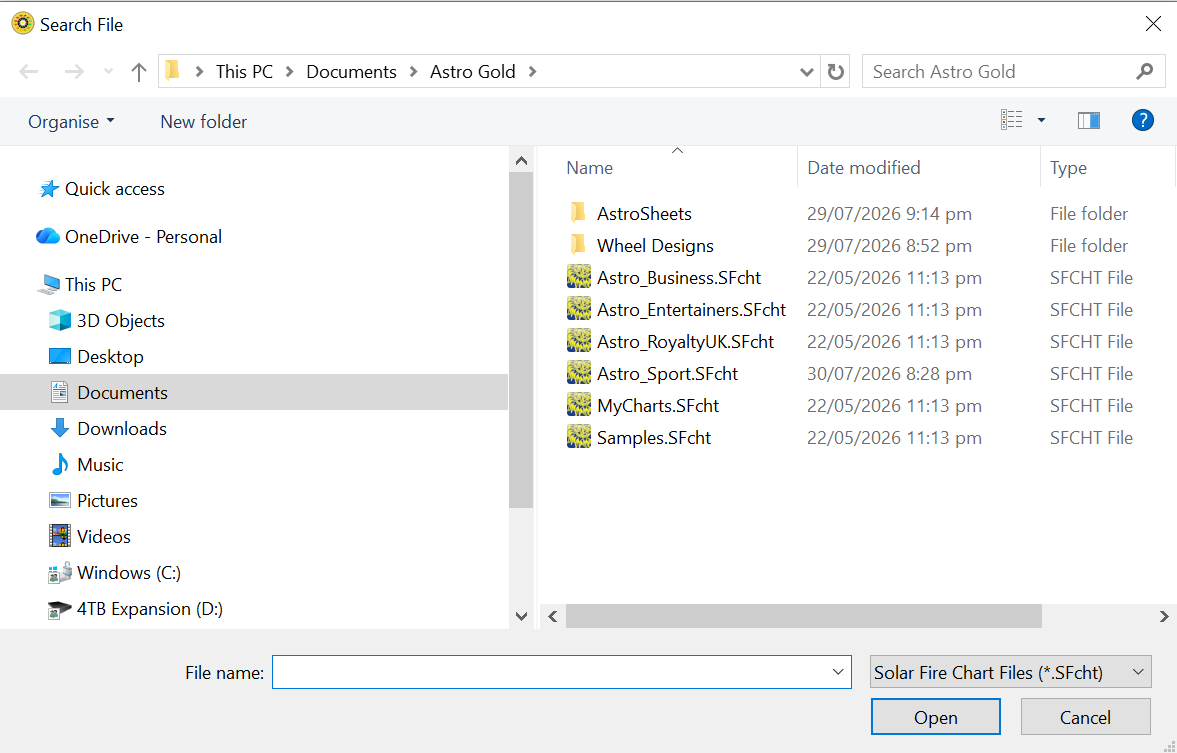
e)Click on the Folder or File to search in. If it's a folder you select all chart files in that folder will be searched. If it's a single chart file you select obviously only that single file will be searched.
f)Click on the Open button.